How to Collect on Unpaid Invoices Without Damaging Customer Relationships
Unpaid invoices are normal in B2B SaaS. Here is how to follow up consistently, keep your tone right, and get paid without damaging customer relationships.
5 mins
April 17, 2026
.png)
For founders, finance leaders and ops teams at sales-led SaaS companies, unpaid invoices are a normal part of doing business. Your customers typically pay via ACH on Net 30 terms. So, when an invoice is overdue, it is usually sitting in a customer’s Accounts Payable (AP) approval queue rather than a signal of a relationship problem.
Unfortunately, teams sometimes avoid following up because they don’t want to risk damaging an important customer relationship. This approach leaves cash uncollected for longer than it should be.
That follow-up process has a name: dunning. This guide covers what dunning emails are, what works with B2B invoice-based collections, what makes a reminder actually useful for AP teams, the right cadence from before the due date through overdue, and where manual dunning breaks down as your customer base grows.
What Is Dunning and Why Does It Matter?
Dunning is a systematic process of reminders designed to recover outstanding balances and remind customers before or after an invoice due date, before escalating to 3rd-party collections or service suspension.
Following up on unpaid invoices does not need to be confrontational. When teams can rely on accurate business data they trust, they can implement a repeatable, respectful collections follow-up system that works.
Treat dunning like a simple business workflow: a consistent cadence with clear details and a request, so you do not have to reinvent tone every time an invoice is due or overdue.
Collecting invoiced cash on time affects how you run the business. When payments slip, runway projections shift, hiring decisions stall, and finance spends time chasing cash instead of planning around it.
That system depends less on clever copy and more on one unglamorous requirement: you need invoice data in a form your tools can use.
The Real Differentiator: Structured Invoice Data in a System of Record
Structured invoice data (invoice numbers, amounts, due dates, and payment terms stored in a system your tools can read and act on, rather than locked in a PDF) is what makes automated dunning reliable. A relationship-safe dunning system starts before the first reminder email. It starts when those details live in a single system of record your team can trust.
If your "system" is:
- a signed PDF in Google Drive,
- invoice details that someone retyped into your accounting system,
- a follow-up date living in someone's calendar,
- and an accounts receivable aging spreadsheet you update when you remember,
dunning often feels awkward because you are operating without a trustworthy source of truth.
That is what structured data fixes. When your invoice numbers, billing schedule, payment terms, due dates, and amounts are stored as structured data in a system of record, you can reliably generate reminders that are actionable for AP teams. You can stop sending vague emails like "just checking in," because your system can tell you: Invoice #3456, $15,000, due February 1, now 15 days past due.
With that foundation in mind, the next problem is making sure reminders reflect how invoice payments actually get processed.
What Works for B2B Invoice-Based Collections
B2B invoice collections depend on getting the right details to the right person inside your customer's AP team before escalation is ever on the table.
Your customers pay via ACH or wire transfer. When a large invoice goes unpaid, it is often sitting in an accounts payable queue, waiting for someone to approve it, confirm any required PO information, and manually initiate a bank transfer. Collection depends on a human on the other side taking action.
That reality shapes what an effective B2B collections process looks like:
Tone matters. B2B dunning centers on an invoice that still needs to move through an internal payment process. Late payments are common on many AP teams due to process delays, not a sign that the customer is unhappy. A friendly-first tone in early reminders reflects that reality.
The timeline is longer. Invoice-based B2B collections involve multiple follow-ups over 30 to 60 days or more before escalation is appropriate, depending on invoice size, customer type, and your contract. According to Atradius, the average B2B invoice is paid 20 days past due, meaning most Net 30 invoices do not clear until day 50 or later.
The details have to be exact. An ACH or wire payment requires your customer's AP team to initiate it manually. A reminder reliably triggers action only when it includes the specific invoice numbers, amounts, due dates, and payment instructions AP needs to process payment.
That last point is also what makes structured invoice data the foundation of a working dunning process. When those details live in a system your tools can read and act on, every reminder includes exactly what AP needs without anyone copying and pasting from a PDF.
The Anatomy of a Good B2B Dunning Email
Good dunning emails are easily actionable for AP teams. The relationship-preserving move is to make payment easy and internally forwardable. Each reminder should be complete enough that someone can forward it to the right approver and get it queued for payment.
Each dunning email should include the same core elements.
The complete checklist:
Invoice identifiers and key details:
- Subject line with invoice number and due date
- Professional greeting with the company name
- Invoice number (AP teams often cannot process without this)
- Invoice date and due date
- Exact dollar amount due
- Current overdue status if applicable (example: "7 days past due as of today")
Payment + next steps (so they can actually pay):
- A single, clear call to action
- Payment instructions needed to complete payment
- Direct contact information for questions or to confirm payment
The subject line determines whether the email gets opened or buried. Include a clear reminder that helps the recipient understand what needs attention.
Once you know what each email must include, the next question is when to send them, and how to escalate without turning it into a threat.
The Right Dunning Email Sequence: Before Due Date, Due Date, and Overdue
A consistent cadence prevents awkward improvisation and silent aging. If you only implement one system from this article, implement a predictable sequence. For a Net 30 B2B SaaS invoice, a practical dunning sequence runs from a reminder before the due date through the due date, then moves all overdue invoices into a weekly follow-up rhythm with clear escalation if payment still has not arrived. Each stage escalates in tone and channel while preserving the relationship.
Use the same core information throughout the sequence: invoice number, amount, due date, current status, payment instructions, and the invoice attachment.
Stage 1: Reminder Before the Due Date (around 3 days before the due date). Casual, helpful, zero urgency. A subject line can be a simple reminder that the invoice is due soon. Include the core information above and send the attached invoice.
Stage 2: Due Date Notice (day 0). Professional, matter-of-fact. "Invoice #3456 for $15,000 is due today." Include the same core information and the attached invoice.
Stage 3: Weekly Overdue Reminder Queue (beginning after the due date). Friendly but clear. Rather than treating overdue invoices as isolated milestone events, move all overdue invoices into a consistent weekly batch process. Use a subject line that makes the overdue status obvious. Include the same core information and the attached invoice. The critical phrase: "If you've already sent payment, please disregard, or let me know so I can update our records." This saves face for the customer and generates a response even from people who have not paid yet.
Stage 4: Phone Call or Stronger Escalation When Needed. If an invoice remains unpaid, do not solely rely on email forever. Add a phone call or stronger escalation based on the invoice, customer, and your contract, while keeping the same email foundation. A channel shift helps surface blocking issues that email cannot, including missing PO numbers, setup requirements, and questions about what AP needs to process the invoice.
After the due date, do not let the process go quiet. Keep overdue invoices in a consistent weekly follow-up rhythm until you get confirmation of payment or decide to escalate based on the invoice, customer, and your contract. The point once an invoice is overdue is to keep a steady cadence, continue making each reminder actionable for AP, and reserve stronger escalation for the cases that truly require it.
Seeing it laid out as a sequence is useful, but most teams still want a concrete email they can paste into Gmail.
A B2B Dunning Email Example You Can Use
Here is a day 15 past due email for a $15,000 invoice. State the status plainly and include everything AP needs to process payment.
Subject: 15 days overdue: Invoice #3456 for $15,000
Hi Sarah,
I'm following up on Invoice #3456 for $15,000, which was due on February 1 and is now 15 days past due.
If you've already submitted payment, please let me know so I can update our records. Otherwise, I'd appreciate your help getting this processed.
Payment Instructions:
Bank Name: [Your Bank]
Routing Number: [Number]
Account Number: [Number]
Account Name: [Your Company Name]
Reference: Invoice #3456
If there are any issues with this invoice, including a missing PO number, vendor setup requirement, or a question about charges, please reach out directly. I'm happy to provide whatever your AP team needs.
Best,
[Your Name]
[Direct Phone] | [Email]
Attachment: invoice #3456
That email works until you rely on human memory to send it on time, with the right attached invoice, pulled from the right place.
Where Manual Dunning Breaks Down
Manual dunning breaks down when your collections process depends on someone remembering to act. When invoice status and invoice data are spread across PDFs, inboxes, accounting notes, and spreadsheets, follow-up relies on human memory and judgment rather than a reliable repeatable system.
Here is what usually fails first:
Follow-up timing slips. The hardest part of dunning is sending the right email on the right day. When timing becomes "whenever I remember," invoices quietly age.
The information in reminders becomes incomplete or inaccurate. AP-actionable reminders require invoice numbers, dates, amounts, and instructions. When those details are copied and pasted by hand from a PDF or spreadsheet, mistakes creep in. Mistakes slow payment and create unnecessary back-and-forth.
One person becomes the bottleneck. When you are the single point of failure for collections, any competing priority delays follow-ups.
In a manual process, most invoices end up needing at least one nudge. When you have dozens of invoices open at any point in time, reminders become real work quickly. At that point, the next step is deciding what parts of the workflow should run automatically so nothing slips and what parts should stay human, so relationships stay intact.
Build a Dunning Process That Runs Without You
Dunning emails work best when they are routine: clear facts, predictable timing, and escalation that respects the relationship. Build the cadence once, make each message actionable for AP teams, and you will collect cash faster without turning collections into a recurring negotiation.
The harder part is keeping that cadence consistent as your customer base grows. When invoice data and due-date information live in one place as structured data rather than scattered across PDFs and spreadsheets, follow-up becomes a system instead of a judgment call.
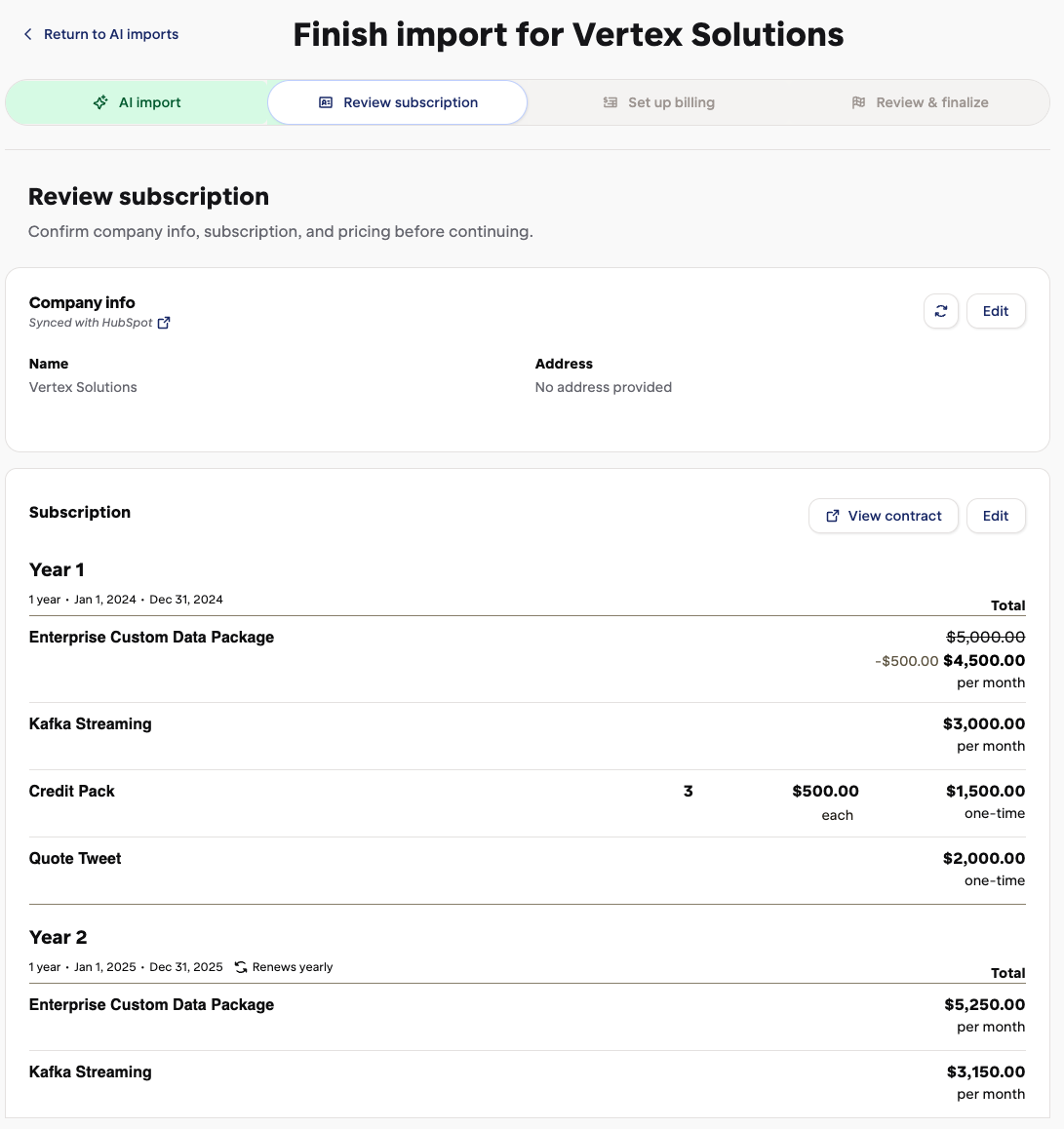
Turnstile automates dunning by using structured invoice data, so your billing and collections workflows always reference the right details. It is also how sales-led teams prevent revenue leakage from missed follow-ups.
Book a demo to see how it works.


.png)
.png)